
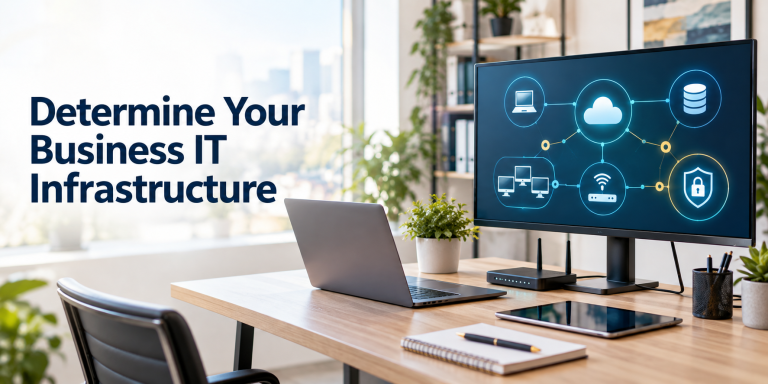
Determine Your IT Infrastructure
General: To preclude the expense of specialized IT support and high-cost equipment, we do not recommend you purchase a local server. Use cloud-based programs wherever you can to save money and to have automatic backups of your data. Yes, all your systems will be down if you lose internet access, but it’s even worse if your server goes down hard! All the devices that we recommend are available at good prices from BestBuy.
Computer Hardware: Determine the standardization level and specific computers to be utilized by staff. This should be the same computer you purchased for yourself to process your business plan with if you did purchase one then. However, if you aren’t satisfied with the performance of that computer, plan to place it in a non-critical service location, and then upgrade the remaining workstations. For each user, we recommend a minimum Intel I-7 Core or Ultra computer with minimums of a 500GB SSD and 16GB Ram as a base computer. Purchase a Lenovo, Dell, or Asus Windows-Based computer if you can. Dell generally has the best warranty and support. Get a powerful UPS to support your computer for power outages if you purchase a desktop tower. Make it a laptop if you will want to take it to work at home or otherwise and buy an external keyboard and mouse and potentially a docking station to go with it. For all other computer software and hardware recommendations, and for IT support services, we recommend you contact www.overdrive-it.net.
Peripheral Hardware
All-In-One Printer, Scanner, Copier, Fax: For one or more employees, you will need at least one all-in-one printer, copier, fax, scanner—we currently recommend a Brother MFC-L2900DW for black-and-white or a Brother MFC-L3720CDW if you need color.
High-Volume Scanner: For high-volume scanning transactions, each employee affected will need a desktop scanner. We recommend an Epson WorkForce ES-400 II.
Shredder: You may want to purchase a shredder for shredding confidential documents. BestBuy has a good selection of shredders at reasonable prices. Select one based on the quantity of shredding you anticipate.
Networking Hardware: For networking, select a good Internet Service Provider in your area. They will provide you with WIFI and routing equipment.
Operating Software: Determine the specialized software and equipment to be utilized as compared to what duties will be outsourced such as accounting or what will be used for data storage, cloud, or local.
Basic Administrative Software: There are basically two competing flavors of general business operating software available. These are Microsoft 365 and Google Workspace. In general, the business world prefers to use Microsoft 365, so it is the more compatible software for working with other companies. There are many comparisons made and some select Google. I only recommend Microsoft due to the power utility of the Outlook email system and Microsoft Exchange.
Browser And PDF Software Reader: We recommend using Microsoft Edge which comes native with all Windows computers for browsing as well as for reading and minor editing of .pdf files, or Adobe Acrobat Pro DC if you want to be able to perform major edits on .pdf files. However, don’t forget that you can open .pdf files with Microsoft Word which will allow you to convert the documents to Microsoft Word .docx documents and then edit them.
CRM System: We provide setup services and general consulting for Act CRM systems. Act is an inexpensive, mature, and a powerful, cloud-based CRM very comparable to Salesforce, but much less expensive. It is specifically targeted to small businesses and integrates with various accounting and administrative management tools like QuickBooks Online and Microsoft 365.
Document Management System: We recommend the Hubdoc document management system. In most cases, you will need an inexpensive subscription with Hubdoc to work with outsourcing for accounting purposes. Check with your accountant first.
Accounting System: If you will be doing your own accounting, which may be required if in need of specialized accounting software such as for inventory management, we normally recommend QuickBooks Online. It is the most common small business software out there, so it’s easy to get support and to hire experienced employees. Plus, there are many 3rd party applications that integrate with QuickBooks online. Some of those for inventory management are as follows:
Best Native QuickBooks Expansion is SOS Inventory: SOS Inventory expands QuickBooks Online with advanced tracking, multi-location warehousing, order management, and light manufacturing workflows. If you want an interface that closely mirrors QuickBooks and expands its exact capabilities, SOS Inventory was built exclusively for QBO.
How it syncs: Offers a highly reliable, bidirectional sync. It populates robust sales orders (a feature lacking natively in standard QBO) and syncs partial shipments or partial invoices perfectly.
Standout features: Asset tracking across multiple physical locations, serial/lot tracking, and light manufacturing/kitting capabilities at a lower price point than full ERPs.
Best for E-Commerce & Retail is Cin7 Core: Cin7 Core is a robust, cloud-based system ideal for multi-channel and e-commerce sellers managing inventory across multiple sales channels and warehouses. If you sell on Shopify, Amazon, WooCommerce, or across multiple brick-and-mortar storefronts, Cin7 Core is a top choice. It functions best with QuickBooks Online Plus or Advanced.
How it syncs: Acts as your central operational hub. All multichannel sales, purchase orders, and stock updates happen in Cin7 and push cleanly to QBO.
Standout features: Built-in POS, B2B wholesale portals, 3PL fulfillment tracking, and automated multi-warehouse routing.
Alternative: If you sell strictly on Shopify, check out Prediko for its AI-driven demand forecasting.
Best for Manufacturing is Katana: Katana is built specifically for manufacturers who need visual production planning, bill of materials (BOM), and real-time shop floor visibility synced back to QuickBooks. If you take raw components and transform them into finished products, Katana Manufacturing ERP is optimized for live production tracking.
How it syncs: Syncs sales orders and invoices directly with QBO, pushing precise Cost of Goods Sold (COGS) based on raw material usage.
Standout features: Visual “shop floor” planning dashboard, real-time Bill of Materials (BOM) tracking, automatic raw material commitment, and production scheduling.
Best for Wholesale & Field Sales is SimplyDepo: SimplyDepo connects order capture, route planning, and field sales with QuickBooks for wholesale distributors and consumer packaged goods (CPG) brands.
How it syncs: Real-time automatic synchronization with QBO using QuickBooks as your primary financial ledger.
Standout features: Mobile order capture app for field reps, delivery route planning, customer-specific pricing matrix, and instant field-to-back-office invoicing.
Best Budget Entry-Level Pick is Zoho Inventory: Zoho Inventory is for if you are a growing small business that has outgrown QBO’s basic tracking but isn’t ready for a heavy enterprise platform, Zoho Inventory offers an accessible entryway.
How it syncs: Connects via a straightforward, native API connector to pass sales and purchase documents directly to QBO.
Standout features: Serial number and batch tracking, simple multi-channel syncing, and an affordable pricing structure (including a limited free tier).
Telephone Systems: We recommend you consider FreedomVoice for your telephone system. They provide IP telephones and vanity phone numbers for a reasonable price. The phones themselves may well be free depending on current offerings. The only drawback that we have found is that your phone system will be down if you lose your internet connection. However, you can have the system failover to a cell phone in that event.